meeting transcription software

Ever sat through a meeting and wished you could hit rewind to catch every detail you missed? Meeting transcription software is exactly the tool for that. It turns your conversations into text, so you can focus on the discussion instead of frantic note-taking. The payoff? No more second-guessing what was said, easier follow-ups, and a searchable record to keep your projects moving forward.
There’s a bunch of options out there, from popular players like Otter.ai—which doesn’t just transcribe but also pulls out key insights—to newer tools like Meetdone that combine transcription with task tracking to help teams actually act on what’s discussed. The technology has improved so much that even fast talkers and overlapping voices don’t throw it off as badly as they used to.
But not all transcription software is created equal. Some only give you a raw transcript, while others offer features like speaker identification, highlights, and integrations with calendars or project management apps. The trick is finding one that fits your workflow without adding a bunch of extra steps or costs.
If you want to save time, reduce errors, and keep your meetings productive, getting the right transcription tool is a smart move. Let’s break down what to look for and which apps are worth your attention, so you can finally stop scrambling to capture every word and start using your meeting time better.
Commercial context and intent mapping

Meeting transcription software has become more than just a nice-to-have in today’s work environment—it’s turning into a must-have. Companies want to capture everything discussed in meetings without the hassle of scribbling notes or relying on memory. The commercial push is driven by the need to save time, increase accuracy, and make meetings genuinely productive. But not every tool serves the same purpose, and understanding what people actually want when searching for “meeting transcription software” is key.
Who’s buying, and why?
First, let’s talk about who’s in the market for this stuff. If you think it’s only big corporations with massive budgets, think again. Sure, enterprises with dozens of meetings a day will be interested—they want tools that can handle volume, integrate with their calendars, and offer advanced features like speaker ID and real-time transcription. But smaller companies and even freelancers are snapping up these tools because they want to focus on the conversation, not on note-taking.
For example, a small marketing agency might use a tool like Otter.ai to capture client calls and brainstorming sessions, then share those transcripts with the team. It’s not just about having a digital record; it’s about creating a searchable archive of ideas and decisions. This speeds up follow-up and ensures nothing slips through the cracks. Then again, a global consulting firm might lean on transcription software with built-in AI insights to analyze meeting patterns or flag action items automatically.
Different intents behind the search
When someone types “meeting transcription software” into Google, they could be at any point in their buying journey. Some might not know what options exist, so they want a broad overview—basically, "What is this, and why should I care?" Others could be comparing tools, looking for reviews, pricing, or specific features like multi-language support or integration with Zoom and Microsoft Teams.
Here’s where the intent mapping gets interesting:
-
Informational intent: People here want to learn what meeting transcription software is, how it works, and what benefits it brings. They might be project managers, team leads, or even individual contributors curious about making meetings more efficient.
-
Comparative intent: This is the shopper stage. Users want to know which software ranks best. Reviews, feature breakdowns, and pricing comparisons matter most. For example, Otter’s Meeting Agent is often highlighted because it’s got a strong AI engine, can do live transcription, and even generate insights from meetings.
-
Transactional intent: These users are ready to buy or at least sign up for a trial. They’re looking for a seamless demo experience, straightforward pricing, and easy onboarding. Meetdone, for instance, is a newer player that focuses on not just transcription but turning meeting outputs into actionable follow-ups. That makes it attractive for teams who hate the “notes get lost” problem.
What’s the commercial angle?
Transcription software companies often bundle their solutions with additional team collaboration tools. This is smart because transcription alone, while useful, isn’t enough to win loyalty. If the software can link notes to tasks, calendar invites, or project management systems, it becomes part of the daily workflow rather than a side tool.
Take Meetdone as an example: it positions itself not just as transcription software but as a meeting management platform. By capturing meeting transcripts and automatically creating task lists or summaries, it fits into the broader workflow, saving time and reducing manual follow-up. This is a strong commercial selling point because it addresses a real pain point—meeting output that actually gets acted on.
Real-world example: a sales team’s use case
Imagine a sales team with reps scattered across different cities, hopping on calls with prospects every day. They want to capture exactly what the prospect said—the objections, budget concerns, next steps—without someone having to jot everything down. Using transcription software, the rep can focus on the conversation and trust that the transcript will capture details accurately. Then, the team can tag specific parts of the transcript for follow-up tasks or share highlights with managers.
This approach can cut down on missed information and speed up deal closure because everyone has access to the same accurate record. Plus, if the software offers integrations with CRM tools, it can even auto-update prospect records based on meeting notes. From a commercial perspective, transcription software that offers these features can justify higher subscription costs because it measurably boosts sales effectiveness.
The limits of transcription software alone
It’s easy to assume that transcription software solves all meeting-related problems—but it doesn’t. The commercial challenge is that raw transcripts are often long, dense, and not actionable by themselves. Most people don’t want to read through a full transcript—they want key points, decisions, and action items extracted automatically.
This is where many tools fall short, and where the winners stand out. Meeting transcription software that can highlight tasks, summarize discussions intelligently, or even analyze sentiment provides real value beyond just turning speech into text. Buyers look for that added intelligence, so software developers race to embed AI-powered features.
Summing up the context
If you’re creating content or building software in this space, focus on how transcription tools solve specific, practical problems: saving time, improving accuracy, helping teams follow up efficiently. Mention real-world examples, like sales teams closing deals faster or agencies managing client calls better. Highlight the tripwire moments—when users go from “I want to try this” to “I want to pay for this”—and make it clear what features push them over that line.
Meetdone is a good example of a tool that knows this. Look, it’s not just about transcription; it’s about turning meetings into outcomes. That’s the kind of commercial context buyers are thinking about—even if they don’t say it in the search box.
Step-by-step implementation process

Getting started with meeting transcription software isn’t just about plugging it in and hitting record. To actually make the most of it—and avoid drowning in messy transcripts—you need a clear plan. Here’s a practical way to roll it out, with examples and tips that show how to keep things smooth.
1. Choose the right tool for your needs
Before you press start on anything, pick a transcription tool that fits your meeting style and goals. Are your meetings mostly informal brainstorming sessions, or formal client calls? Do you need real-time transcription, or is post-meeting processing enough? Otter.ai is popular for its real-time notes and speaker identification, while tools like Meetdone combine transcription with meeting summaries and task tracking, which can save time after the fact.
Example: If your team often has cross-timezone meetings with multiple speakers and a lot of technical jargon, choose software that supports custom vocabulary and speaker recognition. Otter.ai lets you add custom words and train it to recognize certain voices, which reduces errors.
2. Prepare your team and meeting setup
Transcription accuracy depends heavily on audio quality and participant behavior. Even the smartest AI stumbles with background noise, overlapping talk, or poor microphone placement.
Specific actions:
- Ask participants to use headsets or external mics if possible—laptop mics often pick up too much ambient noise.
- Encourage one person to speak at a time and avoid interrupting (yeah, easier said than done).
- Test your chosen software before the actual meeting—try recording a short session to check audio clarity and transcription accuracy.
Example: Before your weekly all-hands, do a quick 5-minute trial run with your chosen transcription tool. This catches weird audio issues and gives everyone a chance to get comfortable with the process.
3. Set up the transcription software correctly
Most meeting transcription tools come with settings that can drastically affect their usefulness. Take time here—don’t just accept defaults.
Concrete steps:
- Configure speaker labels if your tool supports them. This means the transcript will tag who said what, which is critical for follow-ups.
- Set the transcription to start automatically when the meeting begins, if possible. This cuts down on missing bits at the start.
- Choose the output format that suits your workflow—do you want editable text documents, searchable logs, or integrations with project management tools?
Example: Meetdone integrates transcription with actionable meeting minutes and task trackers. If your team already uses Meetdone for capturing meeting outcomes, make sure transcription is linked to that process, so notes don’t end up in a silo somewhere.
4. Train and customize the tool over time
Transcription software isn’t magic out of the box—it learns as you use it. Most AI transcription tools improve as you correct errors and feed them more data.
Specific actions include:
- Review transcripts regularly and correct mistakes. Tools like Otter.ai let you edit the text directly—this helps their AI learn your unique terminology.
- Add new words or industry jargon to the software’s dictionary or vocabulary list.
- Encourage multiple team members to review transcripts—different ears catch different errors.
Example: After a few weeks of using transcription for your product development meetings, you’ll notice recurring names, acronyms, and technical terms. Add these to the tool’s vocabulary to reduce errors and speed up review.
5. Incorporate transcripts into your meeting workflow
A transcript is only useful if it fits into how you work. Make sure transcripts don’t just pile up unread.
Practical steps:
- Assign someone (or rotate the role) to review transcripts and highlight key action items.
- Use transcription highlights to create summary emails or meeting minutes, instead of retyping notes.
- Integrate transcripts with tools you already use. Many transcription services offer integrations with Slack, Notion, or project management apps like Asana or Trello.
Example: If your team uses Meetdone, it automatically connects meeting transcripts to your meeting agenda and action tracker. This cuts down on manual note-taking and ensures decisions and tasks don’t slip through the cracks.
6. Monitor and adjust based on feedback
Once transcription software is part of your routine, check in with your team regularly. Are transcripts accurate enough? Is the tool saving time or adding confusion?
Concrete ideas:
- After a month, run a quick survey or chat about how transcription is working.
- Look for patterns: Are certain meeting types harder to transcribe? Are particular speakers frequently misrecognized?
- Adjust your tool settings or even switch tools if necessary.
Example: You might find that your brainstorming sessions are full of overlapping talk and get low transcription accuracy, but client calls work great. In that case, reserve transcription software for meetings where it actually helps, and try other methods (like manual notes) when it doesn’t.
You can set all this up in a couple of weeks, depending on your team size and meeting frequency. The key is starting small—try it on a few meetings first—and build from there. Don’t expect perfect transcripts immediately; it’s a learning process for both your team and the software. When done right, transcription tools can save you hours of manual note-taking and keep your meetings more focused. And if you want a tool that goes beyond transcription and helps track meeting outcomes, give Meetdone a look—it's practical and built with team workflows in mind, not just transcription.
Real-world examples and execution details
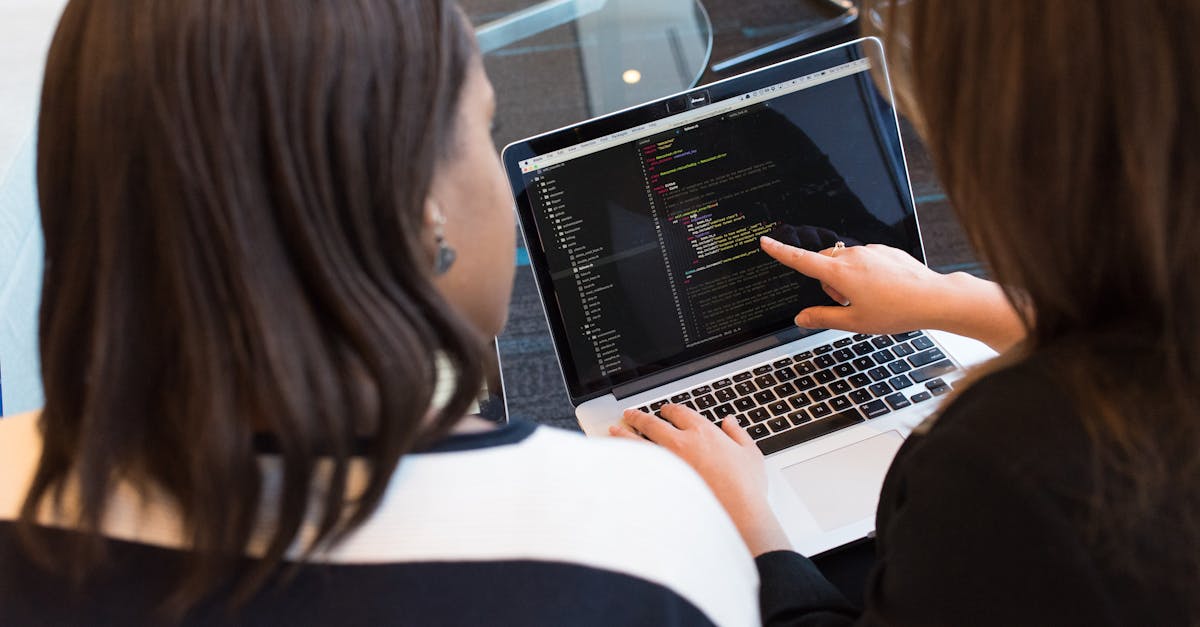
Meeting transcription software has moved way beyond just typing what people say. Let’s get practical and look at some real examples of how teams actually use these tools to save time, improve accuracy, and keep everyone on the same page.
Example 1: Sales teams closing deals faster with Otter.ai
Sales teams often juggle tons of calls and meetings daily, and remembering every detail is impossible. Otter.ai, one of the leaders in meeting transcription, is popular here because it does more than just create transcripts — it highlights action items, identifies speakers, and even integrates with Zoom and Microsoft Teams.
Take a sales rep uses Otter.ai during a client demo call. Immediately after the meeting, they get a summary with key points like client pain points and next steps highlighted. Instead of scrambling to write follow-up emails, they can share the transcript or export the bullet points directly into their CRM. This cuts down hours of manual note-taking and follow-up.
A specific tip: Otter’s "live captioning" lets reps focus on listening rather than typing, which leads to better client engagement. Plus, Otter’s ability to recognize different speakers helps when multiple people talk fast or overlap—something that often trips up manual note-taking.
Example 2: Product teams tracking decisions with Meetdone
I’ve seen product teams get stuck with vague meeting notes that don’t really capture the decision-making process or assigned owners. Meetdone stands out because it combines transcription with task tracking. After a meeting, the software not only transcribes the discussion but also lets you convert parts of the transcript into “decisions” and “tasks” inside the same platform.
Say you’re running a weekly sprint planning meeting. As the team discusses features, Meetdone helps by automatically tagging relevant parts of the transcript as “decisions” or “assignments.” You can then assign those tasks to team members with deadlines attached, all linked back to the exact conversation snippet for context.
This kind of integration is huge for teams who hate flipping between apps. It reduces the chance that something important gets lost or ignored — because the software ties transcription directly to actionable follow-up.
Example 3: Legal and medical fields using transcription for compliance
In industries like legal and healthcare, accuracy and record-keeping are non-negotiable. Here, transcription software often needs to handle jargon-heavy conversations and meet strict privacy regulations.
Some law firms use meeting transcription software that supports specialized dictionaries or custom vocabularies so terms like “habeas corpus” or “subpoena” are transcribed correctly. Or the software also timestamps everything. So if a lawyer reviews a transcript later, they can jump back to the exact moment in the audio or video.
Also, security matters a lot. These firms often choose transcription services with end-to-end encryption and compliance certifications like HIPAA or GDPR.
One law firm I came across uses transcription recordings to prepare for depositions more efficiently. It saves hours of reviewing hours of audio manually, and the high accuracy ensures they don’t miss any critical statements.
Example 4: Remote teams improving collaboration with real-time transcripts
Remote and hybrid setups are everywhere now, and that means lots of video calls where some people might have bad internet or be multitasking. Real-time transcription software helps by creating a live transcript everyone can follow during the meeting.
Imagine an engineering team spread across time zones using Zoom integrated with a transcription app like Read.ai or Otter. Members who join late or can’t speak English fluently can read the transcript to catch up or clarify points immediately. This avoids confusion and keeps meetings productive.
Some companies pair transcripts with AI-powered summaries and sentiment analysis to understand how discussions are going and identify any unresolved issues or concerns—stuff that usually slips past in regular note-taking.
Specific actions to deploy transcription software effectively
To get the most out of meeting transcription software, you can’t just turn it on and forget it. Here are a few concrete steps I recommend based on what I’ve seen work:
- Set up speaker identification and custom vocabulary: This drastically improves accuracy, especially in specialized teams or industries.
- Define how transcripts will be used: For example, is the transcript mainly for reference, or will you convert parts into tasks? Clarify this upfront so you pick the right tool features.
- Train your team: Everyone should know how to access transcripts, highlight key points, and assign follow-ups within the tool.
- Integrate with other apps: The best transcription tools plug into your calendar, video conferencing, project management, or CRM software. This reduces friction and keeps follow-ups automatic.
- Review and clean transcripts selectively: Don’t aim for perfect word-for-word accuracy everywhere—that wastes time. Instead, focus on editing important sections, like decisions or assignments.
- Establish security protocols: Especially if you’re dealing with sensitive info. Use tools that offer encryption and comply with relevant privacy laws.
Why transcription alone isn’t enough — context matters
I notice people often stop at just getting transcripts, thinking that’s the hard part done. It’s not. The real value comes when those transcripts turn into insights, tasks, or historical knowledge that helps teams move forward.
Meetdone’s approach, for example, which ties transcription directly to task management, is something a lot of other platforms haven’t nailed yet. Simply having a transcript buried in a folder isn’t very useful if it’s not easy to act on or find later.
Final note on cost and scale
Software like Otter.ai has free tiers that work well for small teams or occasional use, but once you hit a certain amount of transcription minutes or want advanced features, you’ll need to pay. That’s worth knowing upfront because costs can add up quickly, especially with lengthy meetings or multiple users.
Meetdone, then again, targets teams needing structured meeting workflows and can be a better fit if you want transcription embedded into broader meeting management, not just a transcript file.
In short, picking the right tool depends a lot on the size of your team, the nature of your meetings, and what you want to do with the transcripts afterward. But the bottom line is that meeting transcription software is no longer just a nice-to-have — it’s become a core part of how teams capture, share, and act on what’s said.
Common failures, fixes, and optimization loops
Meeting transcription software sounds like a dream—record everything, get perfect notes, save hours on minute-taking. But in reality, it doesn’t always work that smoothly. If you’ve tried a few tools, you’ve probably noticed the same issues cropping up: crappy transcription accuracy, cluttered notes, or drowning in a sea of text with no clue what’s important. Understanding these common failures and how to fix them can save you frustration and actually make transcription software useful.
Failure #1: Poor audio quality ruins accuracy
This one’s the biggest culprit. Most transcription software depends heavily on clear audio to do its job. If your meeting is full of background noise, people talking over each other, or a bad mic setup, expect lots of errors. Transcripts turn into gibberish, which defeats the whole point.
Fix:
- Use a decent microphone, preferably one designed for conference rooms or desktop use. Avoid laptop mics or phone speakers unless it's a last resort. - Encourage people to mute when not speaking — this cuts down background noise. - If you’re recording remotely, ask participants to find a quiet spot and use headphones to reduce echo. - Some transcription tools, like Otter.ai, offer noise reduction features—enable those during setup. - Test your audio setup before the actual meeting to catch issues early.
Failure #2: Too much text, not enough clarity
Even when transcription is accurate, you often end up with walls of text. Or that makes it hard to find key points, next steps, or decisions without reading through everything.
Fix:
- Use transcription software that offers summary or highlight features. Like, Otter’s “Meeting Summary” or Meetdone’s ability to organize notes into action items can save time. - Train your team to use consistent keywords during meetings like “action item,” “decision,” or “question.” Some tools recognize these triggers and flag them automatically. - After the meeting, spend 5-10 minutes cleaning up the transcript: cut out filler words, group related comments, and highlight tasks. It’s tempting to ignore this step, but it makes the transcript genuinely useful. For context, experiment with tools that integrate transcription with task management, like Meetdone, where you can turn notes directly into to-dos without leaving the app.
Failure #3: Missing context or speaker confusion
Some systems struggle to identify who’s talking, or they strip out the nuance behind what’s said. The result: you get a transcript that’s technically correct but useless for understanding what actually happened.
Fix:
- Choose transcription software with good speaker diarization. Otter is known for this, but no tool’s perfect. If your meetings have a lot of participants, consider using external mic setups or encourage participants to speak one at a time. With that in mind, supplement transcripts with your own context notes. For example, jot down at the end of the transcript or in Meetdone's interface what the mood was, if there were any unresolved issues, or background info not captured by the transcript. For context, some teams have someone act as a “scribe” during meetings: they monitor the transcript live and annotate or correct as needed. It slows you down a bit but pays off.
Failure #4: Lack of integration with workflows
Transcripts sitting in isolation—just a text file or a link—rarely get used. If your transcription doesn’t plug into your team’s tools like Slack, email, or project management, it’s extra work to share and follow up.
Fix:
- Use transcription tools that offer native integrations or easy export options. Take Meetdone syncs notes and action items directly into your team’s project boards or calendars. Otter supports exporting to Google Docs or sending summaries via email. To be clear, set up a routine where the transcript or summary gets shared right after the meeting with a clear call to action. Without this step, notes become dead weight. Put differently, if you use Slack or Microsoft Teams, connect your transcription software so summaries autopost to the right channels. This increases visibility and accountability.
Optimization loop: How to keep improving your meeting transcription setup
Here's the kicker: transcription tools aren’t “set it and forget it.” You’ll need to tweak your process based on what’s working—or not.
- Collect feedback regularly: After a few meetings, ask your team what they like or hate about the transcripts. Are they accurate enough? Too long? Missing info?
- Tweak your meeting setup: Maybe you need better microphones, stricter muting rules, or a new seating arrangement. Small things like speaking clearly and one at a time can drastically improve transcripts.
- Experiment with software features: Try different highlight modes, speed settings, or integrations until you find what sticks. Some tools add new features frequently—stay updated.
- Train your team: Make sure everyone knows how to interact with the software and where to find notes after the meeting. If only one person handles transcripts, you’re missing out on collaboration.
- Review transcripts within 24 hours: Fresh eyes catch mistakes or clarify points while the meeting’s still top of mind. This also keeps momentum on follow-ups.
If your team follows those steps, transcription software can go from “meh” to essential, saving hours on notes and making meetings less painful. It’s not magic, but it’s close—especially if you pick tools like Meetdone that don’t just transcribe but help you act on what’s been said.
Ignore these optimization loops, and you’ll just waste time chasing broken transcripts. Get the basics right first: clean audio, live attention, and clear follow-up — then let the software do its job.
FAQ
What is meeting transcription software, and how does it work?
Meeting transcription software converts spoken words during meetings into written text automatically. It usually uses AI and speech recognition technology to capture audio from calls or in-person discussions and transcribe it in real-time or afterward. This helps teams avoid manual note-taking, ensuring no detail is missed. Some tools also identify speakers, highlight action items, or summarize key points. Otter.ai is a popular example, but Meetdone also offers transcription as part of its meeting management platform, helping you track decisions and follow-ups alongside the transcripts.
What are the main benefits of using meeting transcription software?
The biggest advantage is saving time—you don’t have to scribble notes or worry about missing something important. Transcripts create a reliable record of what was said, useful for reviewing later or sharing with absent team members. It also improves accessibility for people who prefer reading or have hearing difficulties. Plus, many tools integrate with calendars and project management apps to link transcripts with tasks, making follow-up easier. On top of that, AI features can spot action items or summarize conversations, cutting down on meeting fatigue and boosting productivity.
How accurate is meeting transcription software, and what affects its performance?
Accuracy varies widely depending on the software, audio quality, and speakers’ clarity. Background noise, accents, and overlapping talk make things trickier for AI. The best tools like Otter.ai or Meetdone often boast around 90-95% accuracy in ideal conditions but may drop if the environment is noisy or speakers mumble. You might still need to review and edit transcripts. Some software learns and improves over time, especially when you correct errors. Using good microphones and clear speech can significantly boost transcription quality.
Can meeting transcription software integrate with other tools I use?
Yes, integration is a major selling point. Most meeting transcription tools connect with popular video conferencing apps like Zoom, Microsoft Teams, or Google Meet, so transcription happens automatically during calls. Many also sync with calendar apps to pull meeting details and send transcripts afterward. On the project management side, tools like Meetdone allow you to link transcripts with tasks, deadlines, and follow-ups directly. This reduces manual copy-pasting and keeps meeting outcomes connected to your workflow, making it easier to act on what was discussed.
Conclusion
Meeting transcription software has moved from a nice-to-have to a must-have for teams who want to save time and keep accurate records. Whether you’re dealing with fast-paced brainstorming sessions, long client calls, or detailed project updates, these tools capture every word so you don’t have to scramble for notes later. The best options today, like Otter.ai or Meetdone, don’t just transcribe—they help organize, highlight action items, and even provide insights that make meetings more productive.
If you’re still on the fence, think about how much time you spend reviewing or rewriting notes after every meeting. A good transcription tool cuts that out almost entirely, letting you focus on what really matters—making decisions and moving work forward. Plus, having a clear record reduces misunderstandings and keeps everyone on the same page.
In the end, picking the right meeting transcription software depends on your workflow and budget, but tools like Meetdone show that it’s possible to get smart transcription combined with task management in one place. It’s worth trying a few options to see what fits your team best. Trust me, once you get used to automatic transcripts, you won’t want to go back to manual note-taking.